How to Set Up Multi-Warehouse Transfers for Your Business in Lagos
multi-warehouse software Nigeria, warehouse transfer system Lagos, Salesmanager POS, inventory management Nigeria, warehouse automation, stock tracking Nigeria, multi-branch POS, retail software Lagos, distribution software Nigeria, warehouse control system


If your business runs more than one warehouse or branch — whether in Lagos, Abuja, or Port Harcourt — you’ve probably faced the same headache:
How do you transfer stock between locations accurately without confusion or loss?
Paper records, Excel files, and phone updates only work for a while. Then come the problems —
-
Missing stock
-
Wrong quantities
-
Unrecorded transfers
-
Endless reconciliation issues
That’s why more Nigerian wholesalers and retailers are switching to multi-warehouse management software like Salesmanager Cloud Suite — to automate, track, and simplify warehouse transfers seamlessly.
Here’s how you can set yours up and take full control.
1. Why Multi-Warehouse Transfers Matter

Warehouses are the backbone of distribution.
When transfers aren’t tracked properly, your business loses:
-
Money (due to unrecorded stock movement)
-
Time (manual reconciliation)
-
Trust (when staff make untraceable adjustments)
Properly managing inter-warehouse transfers ensures that your inventory records match physical stock at all times — across all locations.
✅ With Salesmanager, every transfer is recorded digitally, approved in seconds, and reflected instantly across all branches.
2. Signs You Need a Multi-Warehouse System
If you recognize any of these, it’s time to upgrade:
-
You manage inventory for more than one location
-
Stock often goes “missing” during transfers
-
Branches argue over what was sent or received
-
It takes hours or days to update reports
-
You can’t see all your warehouses’ stock at once
These issues don’t just cause stress — they cost profit.
A unified cloud-based system prevents them from the start.
3. How to Set Up Multi-Warehouse Transfers (Step-by-Step)
Here’s how to implement a smart, transparent warehouse transfer process using Salesmanager Cloud Suite:
✅ Step 1: Create All Warehouse Locations
List every storage or sales point — e.g.
-
Ikeja Warehouse
-
Lekki Outlet
-
Surulere Branch
Each warehouse will have its own digital identity in the system.
✅ Step 2: Assign Access Permissions
Give managers or staff access only to their respective locations.
Salesmanager lets you control who can send, receive, or approve transfers.
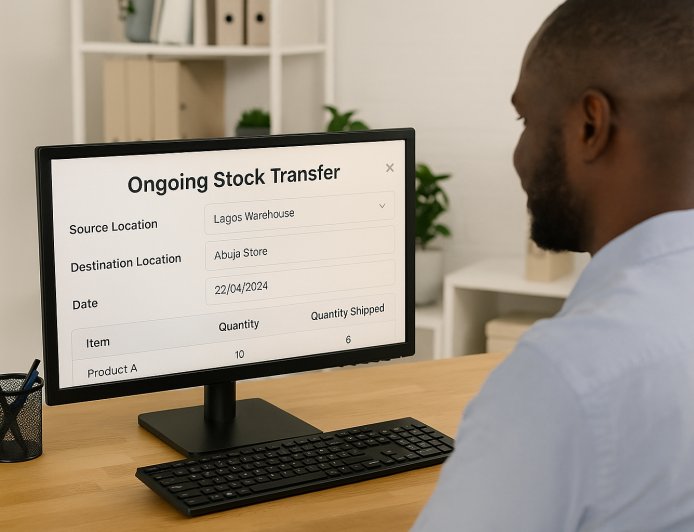
✅ Step 3: Initiate a Transfer
When one warehouse wants to send items to another:
-
Select source & destination
-
Add items and quantities
-
Submit transfer request
The system logs everything — no WhatsApp messages or paper notes needed.
✅ Step 4: Approve & Dispatch
Managers approve the transfer digitally.
Once approved, the system deducts stock from the sender and holds it “in transit” until received.
✅ Step 5: Receive & Confirm
When the receiving warehouse gets the goods, they confirm delivery.
Stock updates instantly — accurate and traceable.
4. Benefits of Using an Automated Transfer System
💡 a. Real-Time Visibility
Know what’s moving, where, and when — at all times.
💡 b. Zero Confusion
Every transfer has a clear sender, receiver, and timestamp.
💡 c. Fewer Stock Errors
Eliminate duplicate or missing entries.
💡 d. Improved Accountability
Each transaction is traceable to the exact staff member responsible.
💡 e. Data for Smarter Planning
See which warehouses need more restock and which are overstocked.
5. Real Example
A household goods distributor in Lagos used to record transfers manually.
Each week, warehouses reported missing stock and conflicting numbers.
After switching to Salesmanager’s Multi-Warehouse Module, they:
-
Cut reconciliation time by 75%
-
Reduced unrecorded transfers by 90%
-
Increased overall profit margins by 15%
Every item now has a trail — from sender to receiver — visible in real time.
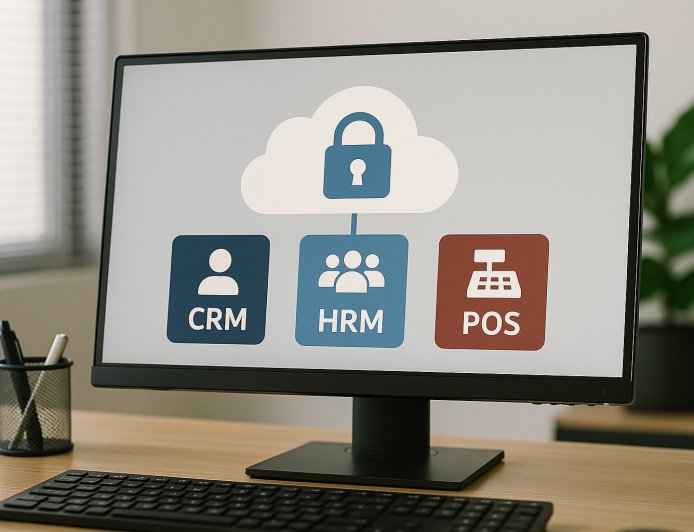
6. Bonus: Integration With Sales, CRM, and HR
Unlike standalone systems, Salesmanager connects your warehouse operations with:
-
POS & Sales Tracking
-
Supplier Management
-
Staff Activity Logs
-
Real-Time Analytics
That means your stock, staff, and sales are all aligned — no silos, no gaps.
7. Pro Tips for Lagos Businesses
Lagos businesses deal with:
-
Heavy traffic delays
-
High staff turnover
-
Multiple storage points
That makes digital coordination essential.
With cloud-based tools, you can monitor transfers remotely, even from outside the city — ensuring smooth logistics 24/7.
Conclusion
Managing multiple warehouses doesn’t have to be complicated.
With Salesmanager Cloud Suite, every transfer — from creation to delivery — is tracked, approved, and updated in real time.
No more missing stock, duplicate entries, or end-of-month confusion.
Just clean, efficient warehouse control that helps your business scale confidently.
👉 Ready to take full control of your warehouse operations?
Visit www.salesmanager.ng to get started with Salesmanager — the smarter way for Nigerian SMEs to manage stock, transfers, and branches from one platform.
What's Your Reaction?
 Like
0
Like
0
 Dislike
0
Dislike
0
 Love
0
Love
0
 Funny
0
Funny
0
 Angry
0
Angry
0
 Sad
0
Sad
0
 Wow
0
Wow
0